Websphere Application Server v8.5.5 Fix pack 8 update
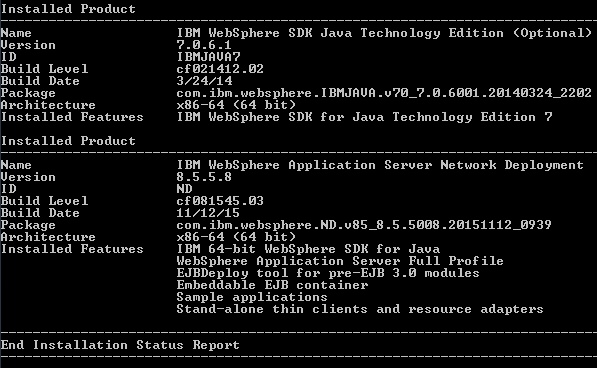
As mentioned in my previous blog entry, WAS FP 8 I have downloaded WAS v8.5.5 Fix pack 8 and updated the Websphere Application Server product.
- Take an Offline Backup before proceeding (its always a better way to keep backups and also as I am using my local system thats not a big deal)
- Download the WebSphere Application Server v8.5.5 Fix pack 8 from Fix central
- Use IBM Installation Manager to point out the respository.config file.
- Update WAS v8.5.5 from earlier fix pack version to Fixpack 8. (I was on FP 6 earlier)
Images for reference for WAS v8.5.5 FP 8,
Package information with the exact Fix pack downloaded file size details

IIM Update screen message
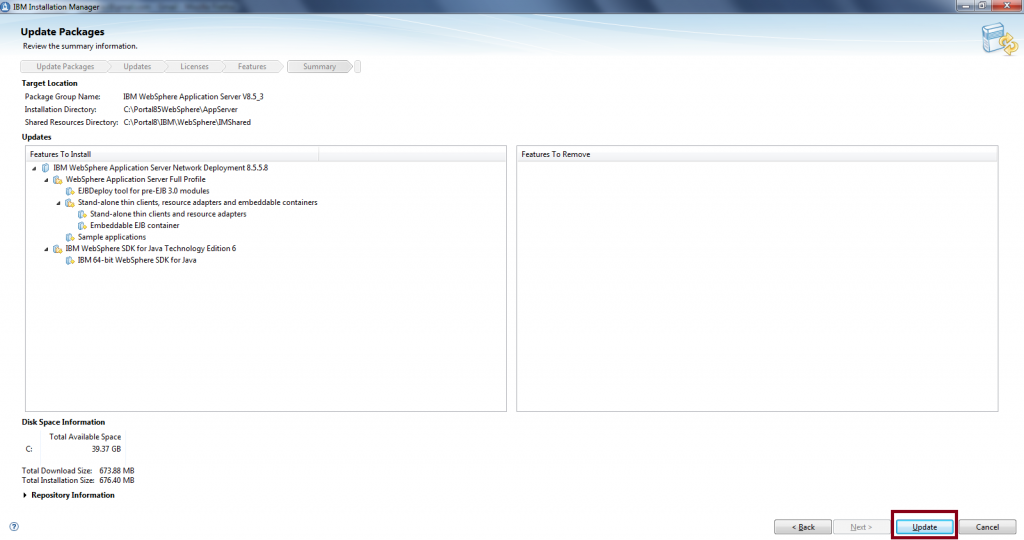
Click on Update to Update the fixpack
Fix pack update successful message

Version Info from WAS AppServer root