



Script Portlet in Websphere Portal Server v8.5 – #2
Script Portlet in Websphere Portal Server v8.5 – #2
In #2, we will create a page in Portal and then create a sample code that runs on script portlet.
Navigate to Websphere Portal Admin console and create a new page.
Page name: scriptportletpage
Make sure that Edit mode is ON. Click on Toolbar and then click on Create for the scriptportletpage.

Select Applications –> Select Web Content –> Click on Script Portlet

Click on Add To Page. Below screenshot shows Script Portlet being added to the page.

Click on Edit to edit the Script Portlet in order to start writing new code.

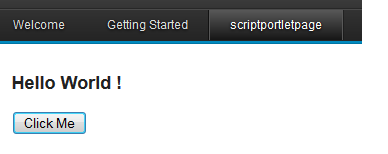
A simple Javascript Query written using Script Portlet. HTML to display the button and Text and Javascript Code to trigger the alert.


Part #1 explains on how to install and deploy script portlet.
IBM Knowledge Center link for reference explaining about Script Portlet.