



DataPower show cpu command
DataPower show cpu command can provide information about CPU usage for a certain time interval periods. We can use Datapower WebGUI to first enable the statistics and then check CPU Usage from the browser.
Through Command line interface follow the steps,
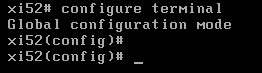
1. Move to Command mode and issue configure terminal so that we are in to config mode
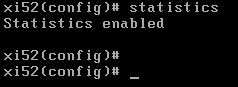
2. Enable Statistics through command mode (initially statistics will be disabled when we issue the command)
3. exit out of config mode and issue the command show cpu
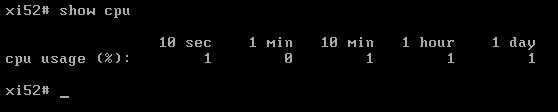
CPU Usage statistics are provided with five time intervals. They provide, 10 sec, 1 min, 10min, 1 hour and 1 day CPU Utilization. Though this statistical data gets changed frequently, it can be helpful during performance monitoring.
DataPower Knowledge center link for reference here on show cpu command.