



MQ Explorer browsing messages limitation
MQ Explorer browsing messages limitation is restricted to 500 and we can’t browse messages on top of that. Last uploaded messages will not be seen during this case.
I was trying to browse Queue messages that were listed at 910 and I could see only 500 messages in the browsing list.
Based on one of the IBM Technote link: http://www-01.ibm.com/support/docview.wss?uid=swg21385408, I could figure out that we can change this in MQ Preferences.
1. Open MQ Explorer
2. Click on Window button in Menu bar
3. Click on preference
4. Expand WebSphere MQ Explorer and select Messages
5. Under Browsing Limit, change the vale of Max messages browsed from 500 to required value
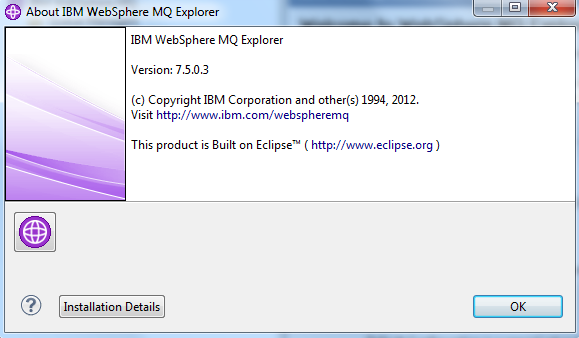
Below screenshot for reference. I am on MQ Explorer v7.5
In my case I have used Max messages browsed as 1000.
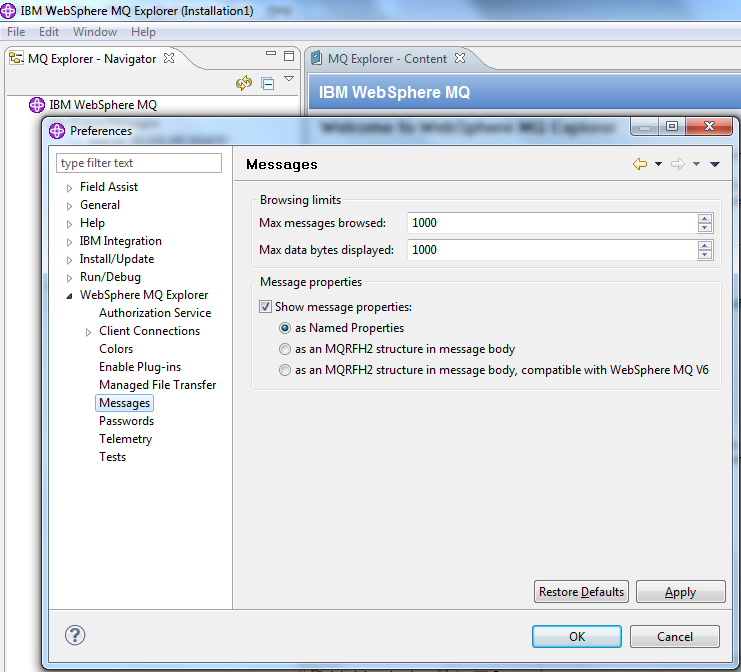
Once this change is completed, we will be able to browse the messages that are over 500+ in a queue.