



Amazon Route 53 Traffic Flow
Amazon web services has announced Amazon Route 53 traffic flow, a global traffic management in the cloud.It is an easy to use and cost effective traffic management service.
What is Amazon Route 53 Traffic flow
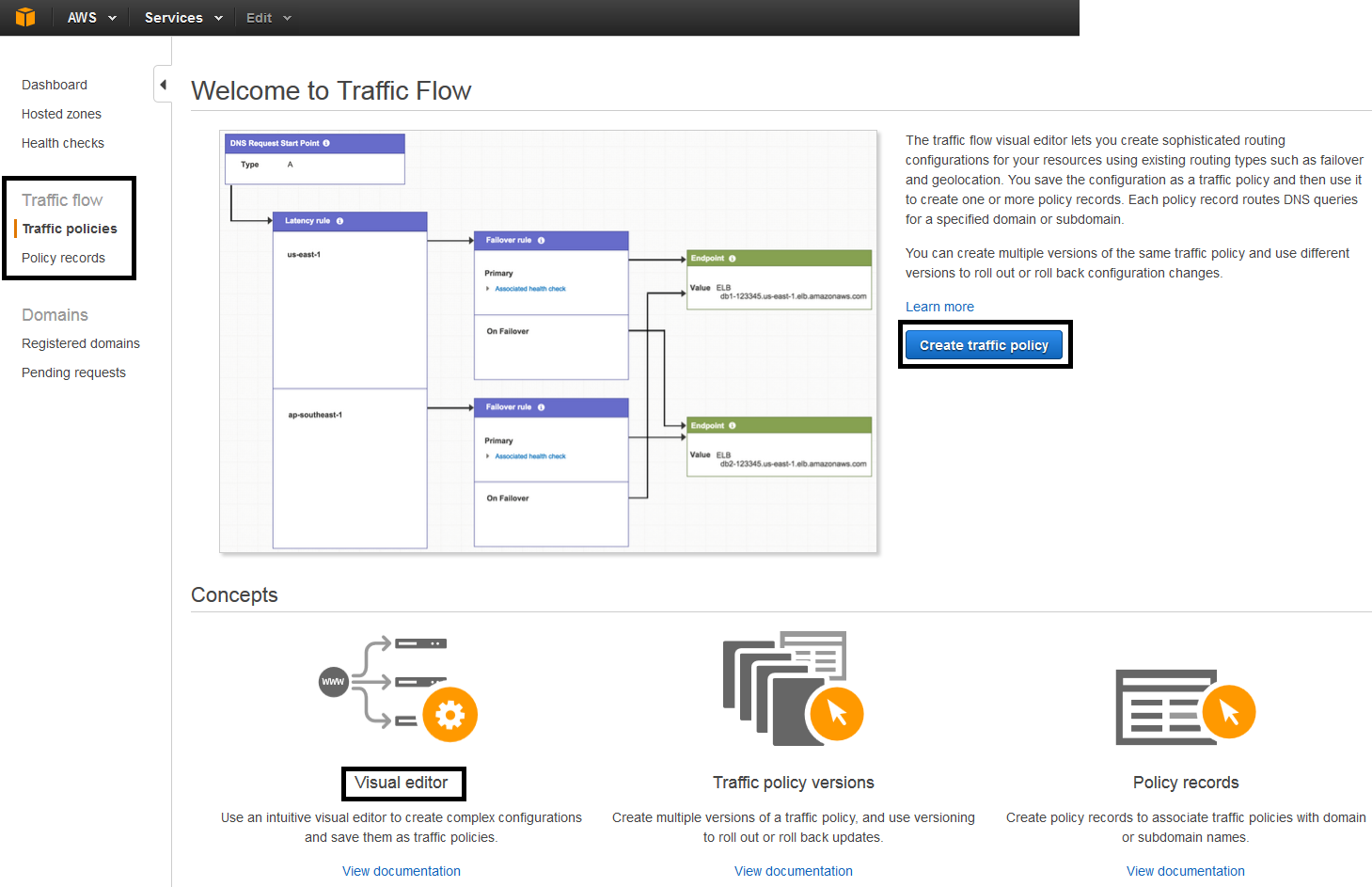
The traffic flow visual editor lets you create sophisticated routing configurations for your resources using existing routing types such as failover and geolocation. You save the configuration as a traffic policy and then use it to create one or more policy records. Each policy record routes DNS queries for a specified domain or sub-domain. You can create multiple versions of the same traffic policy and use different versions to roll out or roll back configuration changes.
As mentioned in AWS Documentation,
Amazon Route 53 traffic flow provides a visual editor that helps you create complex trees in a fraction of the time with a fraction of the effort. You can save the configuration as a traffic policy and then associate the traffic policy with one or more domain names (such as example.com) or subdomain names (such as www.example.com), in the same hosted zone or in multiple hosted zones. (You can only use traffic flow to create configurations for public hosted zones.)
You can also use the visual editor to quickly find resources that you need to update and apply the updates to one or more DNS names such as www.example.com. In addition, you can roll back the updates if the new configuration isn’t performing as you expected it to.
As part of this new addition, I tried to check in my console and could see the Visual Editor in Route 53 console.
Click on Route 53 from AWS Console,

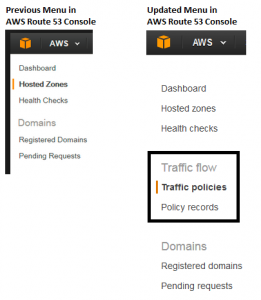
I could see the new addition of Traffic Flow in Route 53 console,
Below screenshot which I had taken earlier the new Traffic flow was not available.
Reference Links
- About Traffic Flow: http://docs.aws.amazon.com/Route53/latest/DeveloperGuide/traffic-flow.html
- http://docs.aws.amazon.com/Route53/latest/DeveloperGuide/traffic-policies.html
- http://docs.aws.amazon.com/Route53/latest/DeveloperGuide/traffic-policy-records.html