



IBM Websphere Datapower – Enable SNMP in Datapower
Enable SNMP IBM Websphere Datapower
Details about Simple Network Management Protocol (SNMP) is already mentioned in earlier post. By enabling SNMP we can Monitor certain statistics of appliances which will provide an overview of Performance and its operations. SNMP can be enabled in Default Domain.
1.Login to Datapower Console
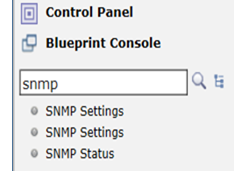
2. Search for SNMP in the Search box. We can also navigate through Administration –> Access –> SNMP Settings
3. Click on SNMP Settings
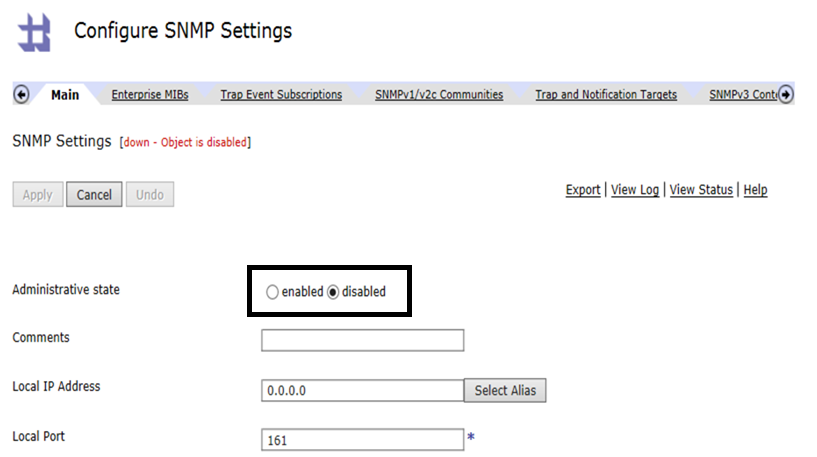
4. Initially SNMP on the device will be disabled. Select enabled radio button.
I have used 0.0.0.0 as Local IP Address or we can use Management IP. SNMP Port for listening to requests will be 161. I haven’t made changes to SNMP v3 related Users, Access and Security Levels. I have mentioned No Authentication and No privacy as I am not creating any user for using SNMP v3.
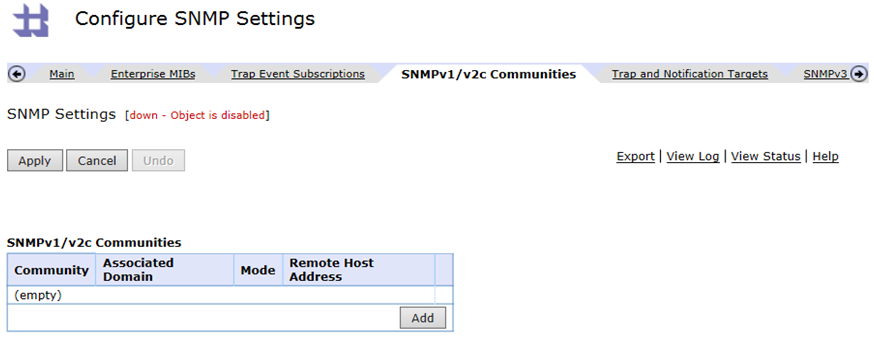
5. Select SNMPv1/v2c Communities at the top window and create a community. SNMP communities are used by SNMPv1 and SNMPv2c to establish trust between managers and agents. Community names are essentially used as credentials to access SNMP data on the appliance.
- Read-only: Allows only reading of data values. A commonly used name for read-only access is public.
- Read-write: Allows reading and modifying data values.
- Trap: Allows the receipt of asynchronous notifications (traps) from the agent.
There wont be any communities and we need to create a new community by clicking on Add button.
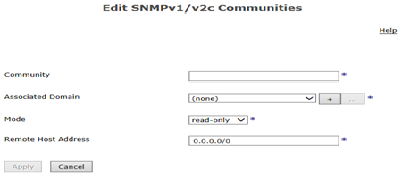
Enter Community name (named it as public), Select default domain, Mode as Read-write and Remote Host I left with 0.0.0.0/0. Click on Apply.
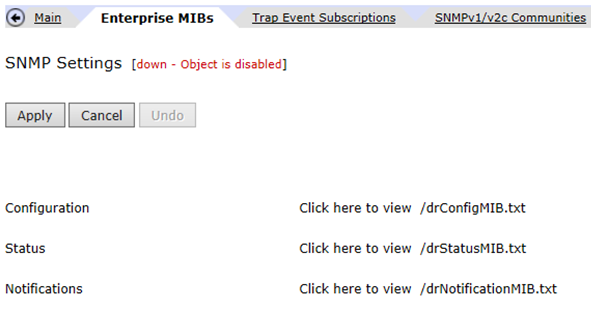
6. Datapower Enterprise MIBs tab is used to for Monitoring purpose using SNMP Protocol.
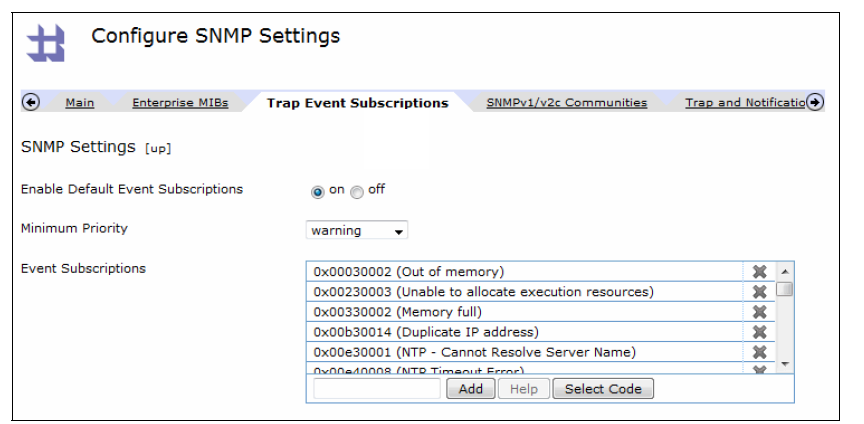
7. Trap Event Subscriptions tab enables the selection of which DataPower event codes will be sent to the management console as alerts.
8. Click on Apply and save the configuration. SNMP Settings Object will be up after applying the configuration.
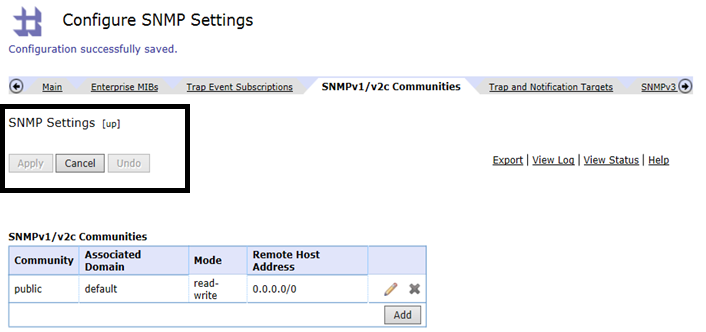
This completes Enabling SNMP on a Datapower Appliance (here in my case IBM Websphere Datapower XG45 v7.0).
IBM Redbooks SG247901 provides a detailed description about SNMP protocol in Datapower.