



DataPower statistics cli command
DataPower statistics cli command is useful to enable statistics on the appliance while viewing the current utilization of CPU or Memory.
Initially after the appliance is installed, Statistics will be disabled. In most of the cases we navigate to Datapower appliance WebGUI and enable the statistics. This is an easier way of enabling the statistics. I recently faced an access issue and was in need of enabling the Statistics for showing the CPU utilization to the customer.
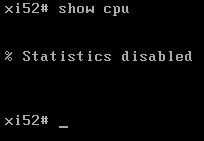
When I input the command show cpu, it gave me a message stating that statistics is disabled. Follow below process to enable statistics in cli command window.
1. Navigate to console and issue below command,
show cpu
2. Issue below commands to enable statistics,
configure terminal
statistics
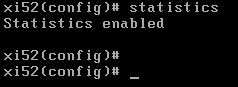
statistics will be enabled after issuing the command.
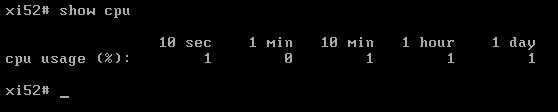
3. Exit from the page and issue below command to check CPU utilization.
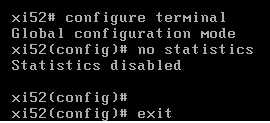
4. To disable statistics issue below command. (move to configure terminal mode again)
DataPower Knowledge center link for reference here.